











































FLUX.2 — The Next-Gen AI Image Model - Bio Points New
FLUX.2 by Black Forest Labs delivers photorealistic 4 MP images, multi-reference consistency, RTX GPU optimizations, and pro-ready editing — ideal for creators and developers.
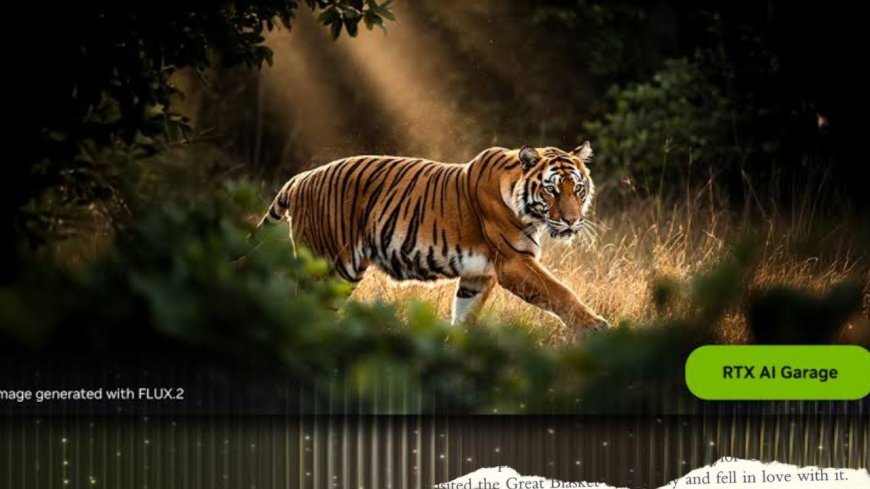
The AI world has a powerful new entrant: FLUX.2 — a state-of-the-art image generation and editing model by Black Forest Labs (BFL), released November 2025. Unlike many AI image tools geared toward novelty or casual use, FLUX.2 is built with professional workflows, high fidelity, and practical application in mind.
Whether you’re a digital artist, product designer, advertiser, or developer, FLUX.2 offers a robust set of features — from photorealistic visuals to multi-reference consistency and open-weight flexibility — that aim to blur the line between AI generation and actual photography.
What Makes FLUX.2 Stand Out
📸 Photorealism & High-Detail Output
FLUX.2 delivers images with up to 4-megapixel resolution and exhibits realistic lighting, textures, fabrics, and spatial logic. According to BFL, scenes rendered by FLUX.2 “close the gap with real photography,” with accurate hands, surfaces, lighting, and object interactions.
This makes it ideal for use cases like product visuals, concept art, advertising assets, or any scenario where realism matters.
🖼️ Multi-Reference Support — Consistency Across Outputs
One of FLUX.2’s signature features is its ability to accept multiple reference images (up to 10) simultaneously. This lets you keep consistent style, character, or product appearance across different images and contexts — a major advantage for campaigns, brand visuals, or storytelling.
So whether you're recreating a character in different poses or placing a product in various environments — FLUX.2 helps maintain identity and coherence.
🔤 Robust Text Rendering & Design-Ready Output
Unlike many image generators that struggle with readable text, logos, or UI elements, FLUX.2 supports clean typography, infographics, UI mockups, logos, and label-style images — while preserving layout and clarity.
That means it’s not just for art — it's also very effective for marketing graphics, product mockups, UI screens, posters, and any visual design needing text + image integration.
🔄 Production-Ready Editing & Workflow Flexibility
FLUX.2 isn’t limited to text-to-image generation. It also enables image-to-image editing, compositing, object replacement, background swaps, color matching, and more — all while maintaining photorealism and coherence.
Whether you’re creating new visuals or editing existing ones, FLUX.2 aims to support real-world creative workflows — making it useful for designers, agencies, and production teams.
FLUX.2 Variants — Choose What Fits Your Needs
FLUX.2 comes in multiple variants, each designed for different use cases.
| Variant | Use Case | Key Benefits |
|---|---|---|
| FLUX.2 [pro] | Production workflows, fast generation | High speed + top-tier image quality; ideal for commercial/enterprise use |
| FLUX.2 [flex] | Creative control, typography & detail focus | Fine-tuned control over steps, guidance — great for design-heavy tasks |
| FLUX.2 [dev] | Developers, researchers, open-source usage | 32-billion-parameter open-weight model, local deployment, editing & generation both supported |
| FLUX.2 [klein] | Lightweight/future option (upcoming) | Smaller model expected to balance accessibility with capability |
This range makes FLUX.2 suitable for a variety of users — from enterprise teams needing fast, high-quality output to individual developers wanting flexibility and control.
Technical Highlights: How FLUX.2 Works
-
FLUX.2 is built upon a latent flow-matching architecture, combining image generation and editing within a unified model.
-
The model integrates a vision-language backbone (giving it better contextual and world knowledge) with a flow transformer that handles spatial relationships, materials, lighting, and realistic composition — delivering outputs that feel visually coherent and believable.
-
Output is flexible: supports any aspect ratio, with reliable performance even down to low-resolution drafts, scaling up to high-resolution 4 MP final results.
Who Benefits Most from FLUX.2? Use Cases & Applications
-
E-commerce & Product Visuals: Generate high-quality product images in different settings, consistent brand visuals with exact color matching, and lifestyle mockups — without costly photoshoots.
-
Marketing & Advertising Agencies: Create ads, banners, UI/UX mockups, infographics — with readable text, consistent branding, and quick turnaround.
-
Digital Design & UI/UX: Design UI screens, interfaces, app mockups, with sharp typography and realistic composition.
-
Creative Media & Entertainment: Concept art, character visuals, consistent style across scenes — useful for game dev, storyboarding, illustration, etc.
-
Developers & Researchers: With open weights and local deployment, FLUX.2 [dev] lets devs build custom workflows, fine-tune, experiment, or integrate into their own tools.
Limitations & Important Considerations
-
Hardware requirements: The full model is large (32 B parameters), and though optimizations exist, running it comfortably — especially for high-res outputs — often requires powerful GPUs or cloud resources.
-
Complexity: For best results, especially when combining references or doing composite edits, prompt design and reference selection need care. Improper instructions may lead to inconsistent or less realistic outputs.
-
Licensing & Use Case: While the [dev] version is open-weight, commercial usage (especially at scale) may be subject to license terms. Always check current terms before using for clients or commercial projects.
Why FLUX.2 Matters
FLUX.2 marks a major leap forward in AI-driven image generation — not just for hobbyists, but for professionals, teams, and businesses needing high-fidelity visuals, consistency, and flexible workflows. By combining photorealistic output, multi-reference consistency, strong typography support, and open-weight flexibility, FLUX.2 bridges the gap between AI-generated art and real-world-ready media assets.
If you work in design, marketing, e-commerce, creative production, or software development — and want a tool that delivers realistic, flexible, and production-quality images — FLUX.2 is worth serious attention.
If you like, I can also write a “Getting Started with FLUX.2” guide — step-by-step instructions to run it locally (or via cloud), with example prompts and settings.
What's Your Reaction?
 Like
0
Like
0
 Dislike
0
Dislike
0
 Love
0
Love
0
 Funny
0
Funny
0
 Angry
0
Angry
0
 Sad
0
Sad
0
 Wow
0
Wow
0